Campus and public safety scheduling is more complicated than filling hourly shifts on a calendar. Student workers bring class conflicts, exam periods, recurring availability changes, and role limitations. Public safety and event teams add coverage sensitivity, location restrictions, supervisor approval, and a low tolerance for missed posts.
A strong campus workforce schedule needs to balance flexibility with control. Workers need a simple way to submit availability and request changes. Managers need confidence that published assignments respect class schedules, role eligibility, department scope, and operational risk.
Start with class conflicts and recurring availability
For student employees, class conflicts are not incidental preferences. They are fixed constraints that change by term and can make a schedule unusable if collected too late. Availability collection should be part of the semester setup process, not a side conversation after shifts are assigned.
Managers should distinguish between permanent class conflicts, recurring unavailable windows, temporary requests, and missing availability submissions. That distinction helps teams avoid overblocking workers while still respecting non-negotiable constraints.
When a worker updates availability mid-term, the system should preserve enough history for managers to understand which published shifts are affected. Otherwise, a valid update can create confusion about already published assignments.
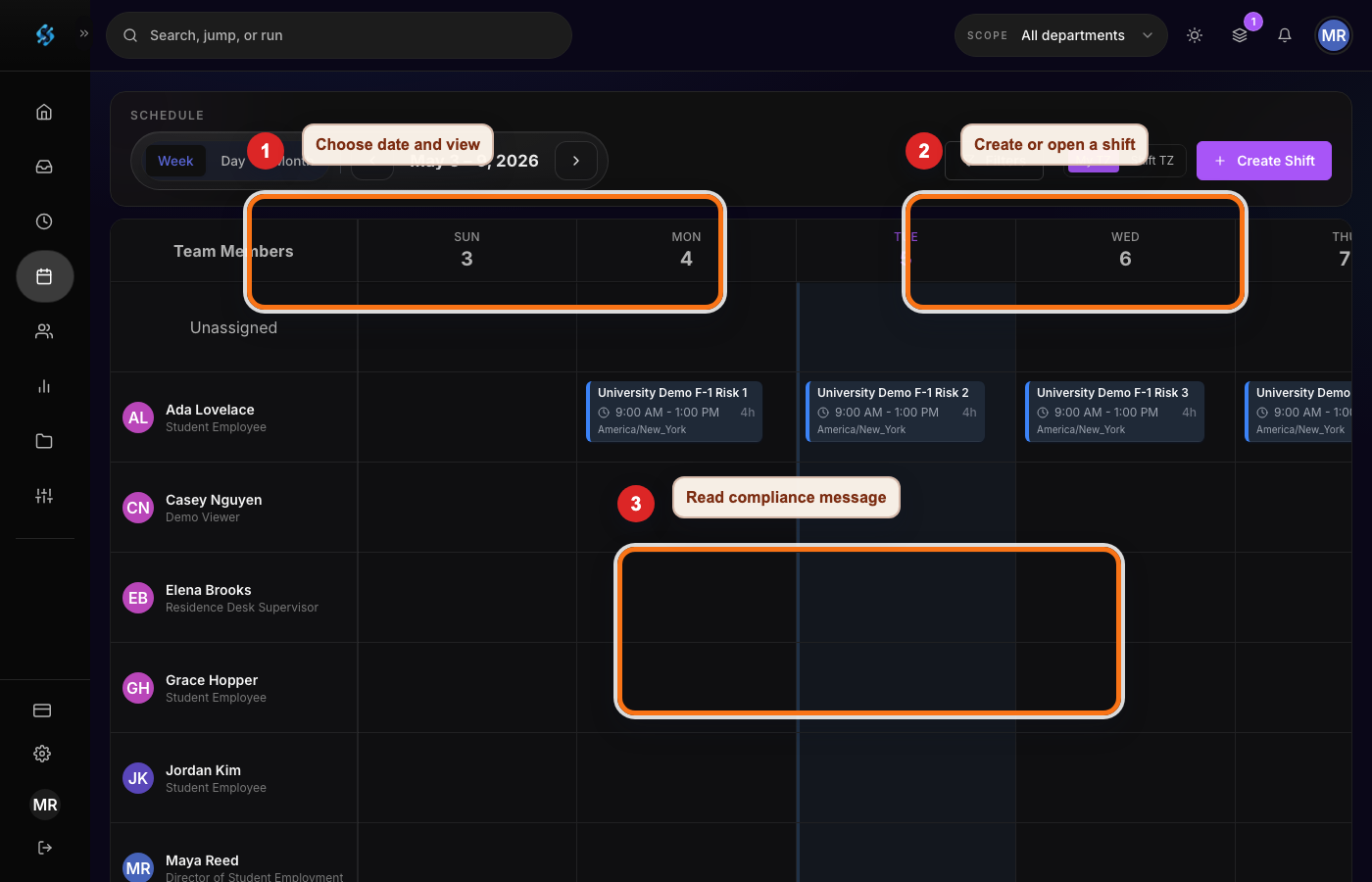
Model role eligibility before assigning people
Campus teams often use the same worker pool across desks, events, residence life, recreation, facilities, and public safety support. A worker might be excellent in one location and ineligible in another because of training, certification, age, equipment access, or supervisor approval.
Eligibility should be modeled before assignments are made. If a location requires a trained dispatcher, lead worker, van driver, access-control role, or event supervisor, that requirement should appear on the shift. The schedule should then show which workers are eligible rather than relying on manager memory.
This is especially important for public safety-adjacent work. Even when student workers are not sworn officers, coverage posts can involve emergency communication, building access, crowd control, late-night transport, or escalation procedures. The schedule has to reflect that operational seriousness.
Campus scheduling controls
| Control | What it prevents | Manager action |
|---|---|---|
| Class conflict checks | Students being assigned during class or exams | Collect term availability and warn on conflicts before publish. |
| Role eligibility | Untrained workers covering sensitive posts | Attach role, location, and training requirements to each shift. |
| Department scope | One unit borrowing workers without visibility | Show home department ownership and cross-department coverage impact. |
| Special event planning | Late manual staffing for games, move-in, or public events | Create event shifts with criticality, location, and approval ownership. |
| Change history | Unclear responsibility after swaps or callouts | Record requester, approver, affected worker, and notification timing. |
Handle public safety and special event coverage as high-signal work
Public safety and event coverage should not be managed as generic open shifts. The schedule should make the post, location, start time, role requirements, supervisor owner, and fallback plan clear. If the post is critical, managers should see that criticality in the review process.
Special events create a different risk pattern than recurring weekly shifts. Demand spikes, location changes, weather plans, guest traffic, and last-minute staffing changes can all affect coverage. A purpose-built event shift should keep those facts visible instead of hiding them in a spreadsheet note.
When a worker drops a sensitive shift, the replacement workflow should check eligibility before allowing approval. That single step prevents the common failure where a willing worker accepts a shift they should not actually cover.
Why spreadsheets and chat break down on campus
Spreadsheets can list shifts, but they struggle to keep worker availability, role eligibility, approvals, and notifications synchronized. A manager may know the right answer locally, but another department cannot see that context when borrowing a worker or planning an event.
Chat is useful for quick communication, but it is not a strong record of assignment ownership. A shift can appear covered in a thread while the official schedule still shows a gap. That is a risky pattern for public safety, access control, and time-sensitive campus services.
A campus scheduling system should keep worker communication close to the schedule without letting chat become the source of truth. Shiftelix focuses on structured coverage, approvals, mobile visibility, and schedule history for that reason.
Campus and public safety scheduling checklist
- Collect class conflicts, recurring availability, and exam-period constraints before drafting.
- Attach role, location, department, and training requirements to each shift.
- Flag public safety, event, opening, closing, and late-night posts for extra review.
- Use structured coverage requests for callouts instead of relying only on group messages.
- Record manager approvals, worker confirmations, and change reasons for sensitive shifts.
- Review cross-department assignments for impact on the worker home team before publishing.
Campus and public safety scheduling FAQ
How should managers handle class conflicts?
Collect class schedules or recurring unavailable windows before building the schedule, then show conflicts during assignment. If a manager overrides a conflict, the reason should be documented before publication.
What makes public safety scheduling different from general campus work?
Public safety and adjacent posts often have higher coverage sensitivity, role restrictions, escalation procedures, location rules, and supervisor approval requirements. The schedule should make those controls explicit.
Can student workers be shared across departments?
They can be shared when policy allows it, but managers need visibility into home department schedules, role eligibility, projected hours, and approval ownership before publishing cross-department assignments.